


What’s New in Besyncly: 2024 Feature Highlights
2024 has been a year full of innovations at Besyncly HQ. Our teams have worked tirelessly to push the boundaries of innovation, delivering cutting edge developments for our users.
The Besyncly platform is now jam-packed with new features, offering a smoother, faster and more responsive integration experience.
Join us as we unpack the latest upgrades to Besyncly, giving you the tools you need to streamline integration processes and give your business a boost.
View Integration Progress
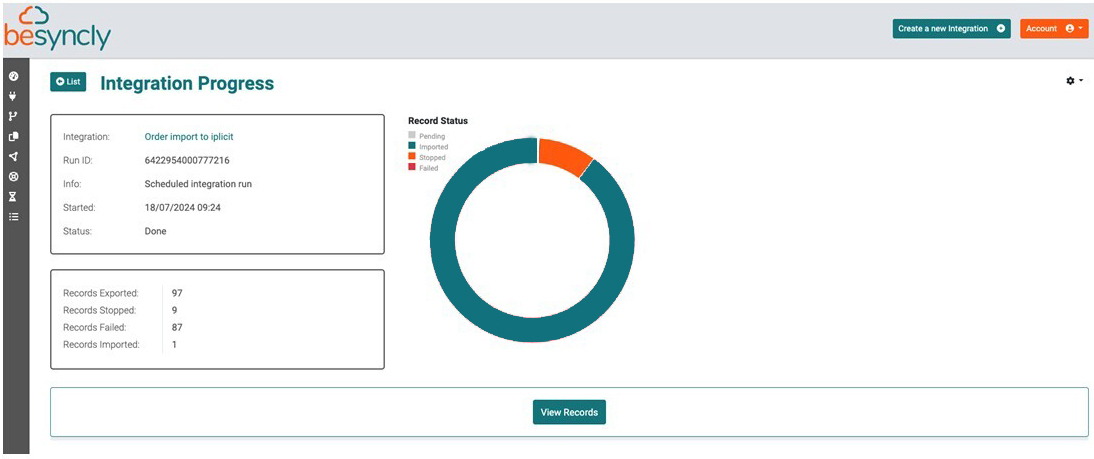
Accessed from the new ‘Progress’ menu item on the left, this feature lets you view current and past integration runs, including the number of records exported.
If an integration is in progress, you can see how long it has left to run, enabling you to plan other work more easily.
Stop Integration
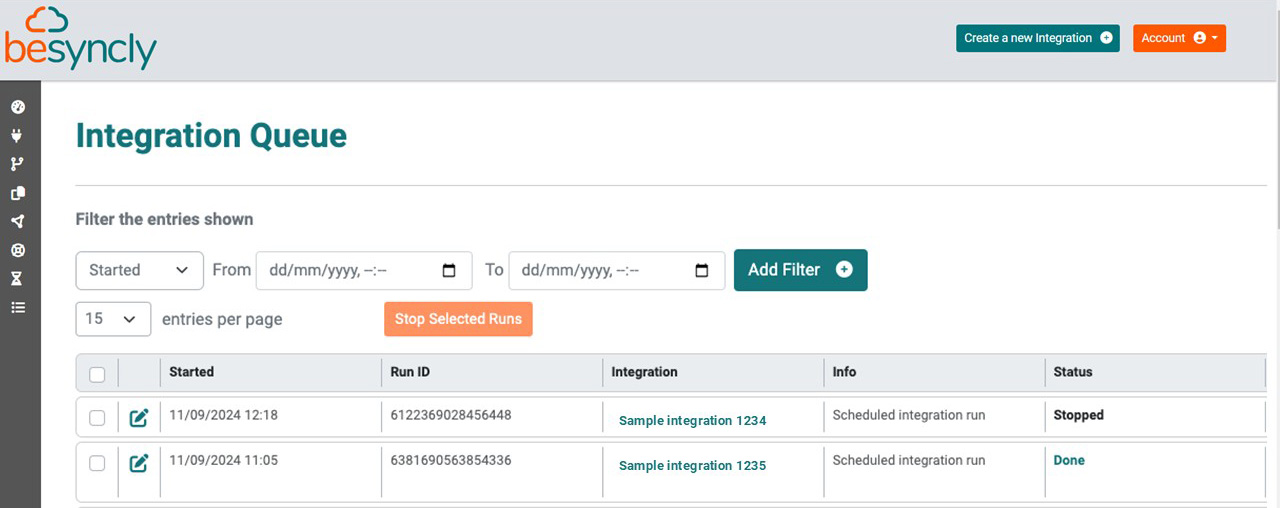
If you need to stop single or multiple integrations for any reason, for example if you’re trying to run end of day or month processes, you can now do it from this screen. A confirmation is given upon stopping so that you can be sure your data is static for more accurate reporting.
Transaction Logs
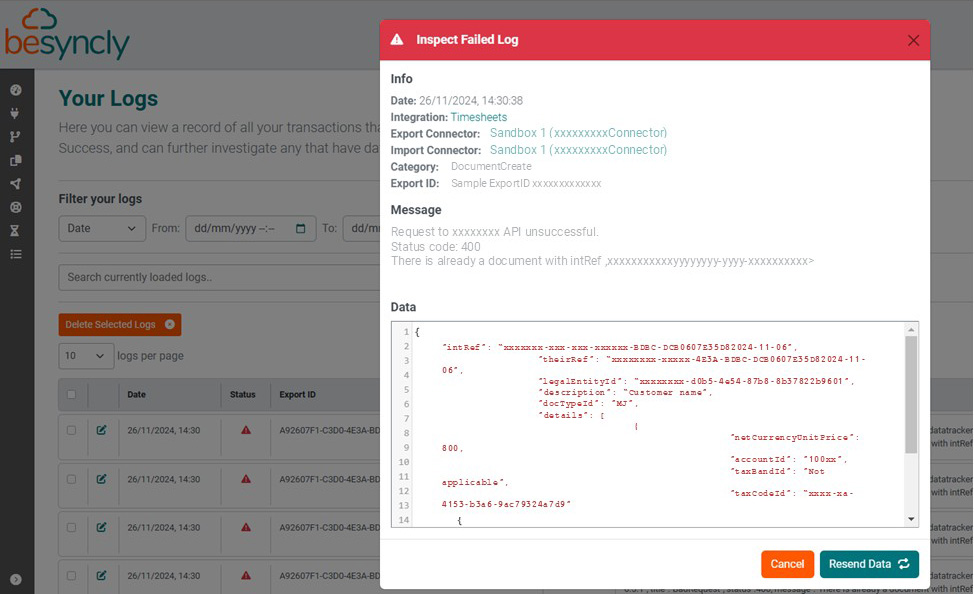
It’s now possible to see the status of individual transactions so you can easily view whether they have completed successfully or not. You can filter for a specific date range, find an integration by name, or look for any unsuccessful transactions.
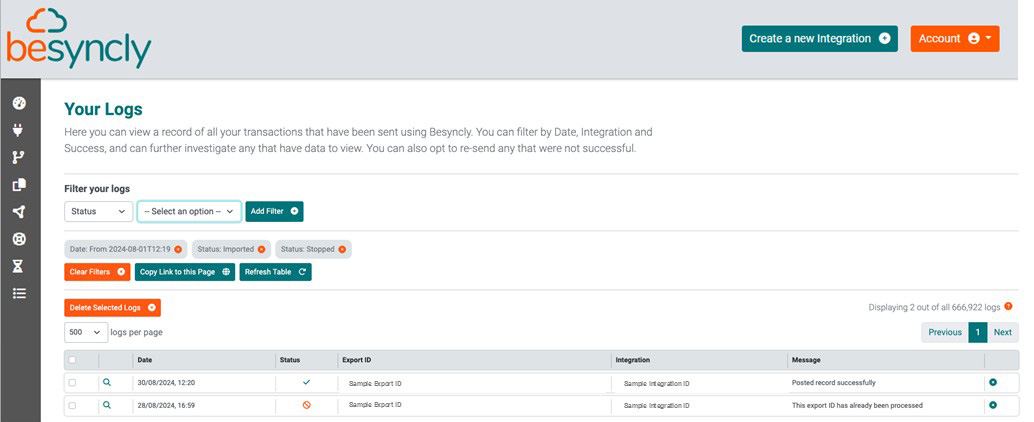
If a transaction is marked as Stopped, Failed or Empty, you can further investigate by clicking into the detailed information in the troubleshooter and then take corrective action.
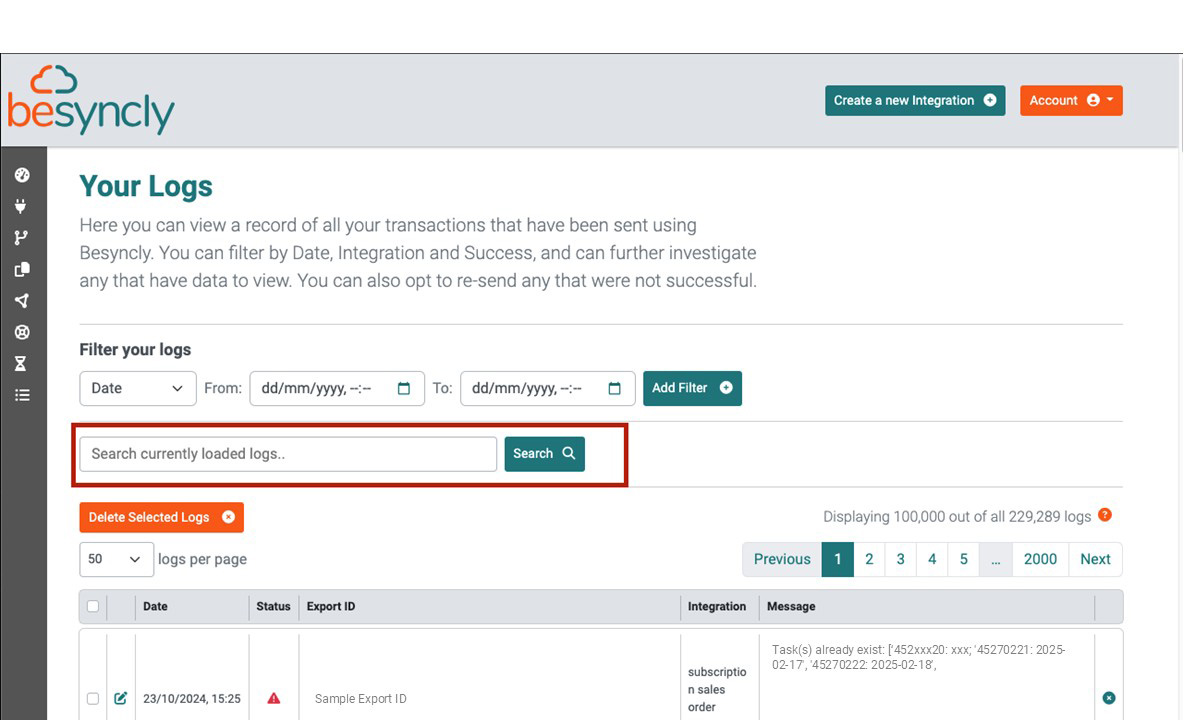
Logs Free Text Search
This new feature allows you to search for a particular transaction in the order log, for example a certain stock code or SKU, so that you can trace the last time it was updated.
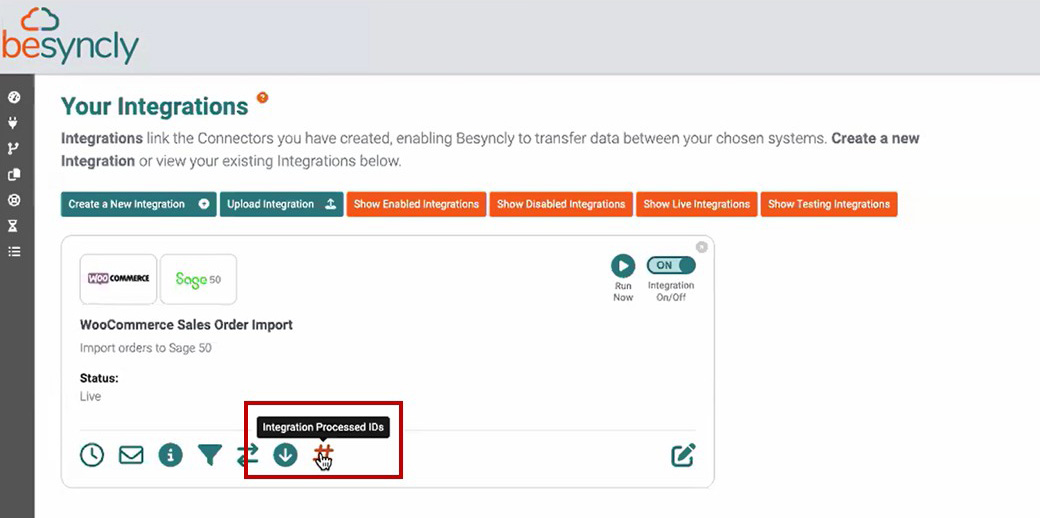
Integration Processed IDs
This intelligent new feature lets you view the unique records of IDs that have been processed by Besyncly, allowing you to see exactly what information has been transferred between systems, as well as edit or even overwrite the data. This is important as it will stop the same records from being processed twice if, for example, you reset your order system, which prevents duplicate orders being created.
The new Processed IDs button (#) can be seen at the bottom of each integration on the ‘Your Integrations’ page – see diagram below.
On this page you can see all the integrations IDs that have been processed, and search for certain IDs to delete, re-order, or overwrite.
You can also import the IDs via CSV file
Audit Logs
This function provides a new level of traceability by allowing you to track which Besyncly user performed edits to processed IDs. It’s found in the Audit Logs section at the bottom of an integration page.
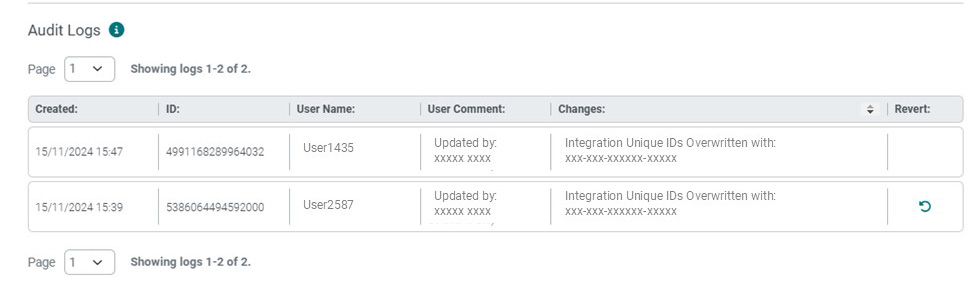
The Besyncly platform has been developed and streamlined in 2024 to enhance functionality and improve user experience.
The ability to view integration progress and stop if required will give users greater control of ongoing processes, whereas expanded log search capabilities, audit logging and integration processed IDs will make it easier than ever before to analyse previous platform activity.
To 2025 and Beyond
We are delighted to end the year with such a comprehensive new features release, and are pleased with the efforts out teams have made this year to better the Besyncly experience for our users.
We’re excited to continue advancing our product roadmap as we look ahead to 2025 and beyond, and would like to thank our partners and customers for their valued input this year.
If you’d like to see a specific connector or platform feature from our Besyncly developers, please get in touch! We’d love to hear from you.
Comments are closed.